
Ray.so alternative · Free · No sign-up
Ray.so Alternative That Does More Than Code Screenshots
KromaStudio is a free studio for developers who need more than a code card alone. Create syntax-highlighted screenshots, browser mockups, social media visuals, and animated .webm exports — all from one client-side tool, without switching apps or creating an account.
What KromaStudio Adds Beyond Code Cards
VS Code Extension
Ray.so has no official editor extension — you paste or use URL params. KromaStudio ships a free VS Code extension: select code, press Cmd+Shift+K, and open the browser studio with syntax highlighting already applied.
Install VS Code Extension →Browser Mockups
Ray.so is built for syntax-highlighted code images. KromaStudio also wraps app screenshots in macOS or Windows browser frames — useful for launch posts, portfolios, and README heroes without opening another mockup tool.
Browser mockup generator →Social Media Content Templates
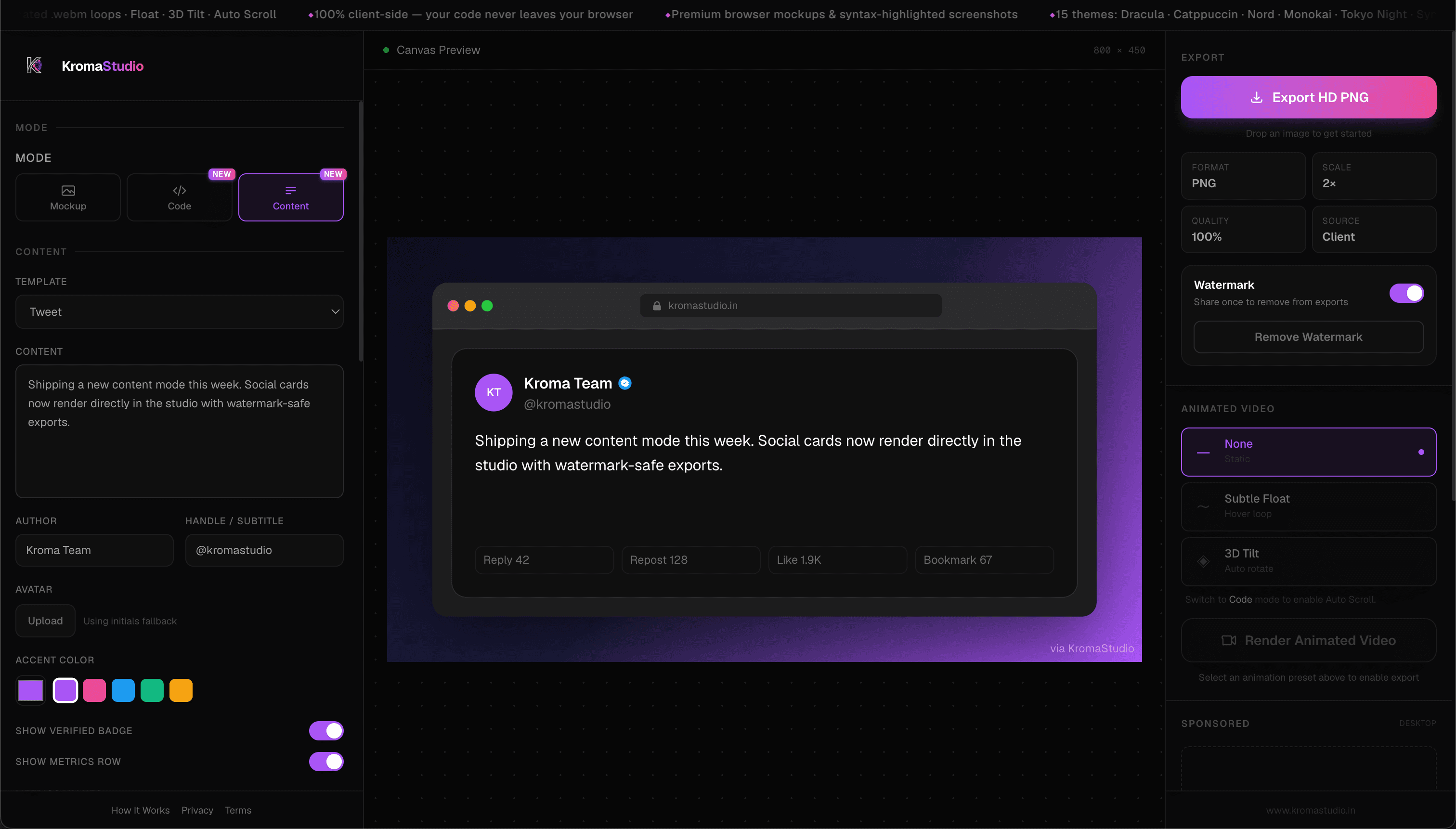
Go beyond a single code snippet image. Build tweet cards, LinkedIn posts, threads, carousels, and metrics snapshots with author, handle, and accent controls — then export in one click.
Social content templates →Animated Exports
Ray.so exports clean PNG and SVG stills, which covers most README and blog use cases. KromaStudio can also export looping .webm clips (Float, 3D Tilt, Auto Scroll) when you want motion for LinkedIn, X, or Reels.
How animation export works →All-in-One Workflow
Some teams use Ray.so for code cards, then switch to other apps for mockups or social graphics. KromaStudio keeps Code, Image, and Content modes in one free studio tab.
Open KromaStudio →Client-Side Privacy
Ray.so renders code images locally in the browser. KromaStudio uses the same approach for code, uploaded screenshots, and social templates — processing stays on your device.
Privacy policy →Why Developers Look for Ray.so Alternatives
Ray.so is a trusted code screenshot tool. Developers often explore alternatives when they need more customization, different sharing options, animation, or a workflow that goes beyond a single static code card. See how KromaStudio works.
- VS Code extension — select code in the editor and open KromaStudio with Cmd+Shift+K, no copy-paste.
- More customization and sharing options — headline overlays, shadow depth, and aspect ratio controls beyond a standard code card.
- Browser mockups — wrap product screenshots in macOS, Windows, or minimal chrome (separate from code-only window styling).
- Dedicated social templates — LinkedIn, threads, carousels, and metrics cards instead of code cards alone.
- Animation support — export looping .webm clips (Float, 3D Tilt, Auto Scroll) for Reels and dev Twitter.
- All-in-one workflow — code screenshots, image mockups, and social content in one free studio.
- No account required — full studio access with zero sign-up, matching the frictionless feel developers expect from Ray.so.
What is Ray.so?
Ray.so is a popular online code beautifier built by the Raycast team. You paste a snippet, choose a theme and background, adjust padding and font size, and export a polished PNG or SVG — including 2× retina output. You can also use URL query parameters for programmatic image generation from shell scripts or editor extensions.
Developers like Ray.so for its speed, clean defaults, and focused scope. It does one job well: turn raw code into a shareable image. If your needs stop at a syntax-highlighted card, Ray.so remains an excellent choice.
KromaStudio vs Ray.so
A side-by-side for developers comparing Ray.so with KromaStudio. Both are free to use; the main difference is workflow breadth. Jump to our code, mockup, or social content pages for a deeper dive.
| Feature | Ray.so | KromaStudio |
|---|---|---|
| Code Screenshots | Excellent — fast, polished syntax cards | Excellent — Convert code to image with Shiki highlighting, 15 themes |
| VS Code Extension | No official extension — URL params for scripted PNG generation | Free extension — select code, Cmd+Shift+K, open in browser |
| Browser Mockups | Code images only — no product screenshot frames | macOS, Windows, Minimal browser frames |
| Social Content Posts | Code cards only | 10 templates — Tweet, LinkedIn, Thread, Carousel, Metrics, and more |
| Animated Exports | Static PNG and SVG export | Animated .webm loops (Float, 3D Tilt, Auto Scroll) |
| Multiple Themes | ~30 curated themes, custom colors, gradients | 15 syntax themes + 12 gradient presets |
| Programmatic Export | URL query params for scripted PNG generation | VS Code extension + interactive browser studio (no public API yet) |
| Export Formats | PNG, SVG, clipboard copy; 2× retina export | PNG (2×) + .webm video |
| Ease of Use | Very fast — paste and export | Fast — three modes, more options |
| Privacy | Browser-based; code images render locally | 100% client-side — code and images stay on device |
| No Login Usage | Usable without an account | Free, no sign-up required |
| Developer Workflow | Single-purpose code card tool | All-in-one — code, mockups, social, animation |
5 Key Differences Between Ray.so and KromaStudio
Browser Mockups
Ray.so is built for syntax-highlighted code images. When you need a product screenshot inside realistic browser chrome for a launch thread or portfolio, you would normally open a separate mockup tool.
KromaStudio Image mode wraps any screenshot in macOS, Windows, or Minimal frames with padding, shadows, and aspect ratio controls — then exports HD PNG from the same canvas.
Try browser mockups →Social Content Creation
A code card works for one tweet. Announcements, threads, carousels, and metrics proof need structured layouts — not just highlighted syntax.
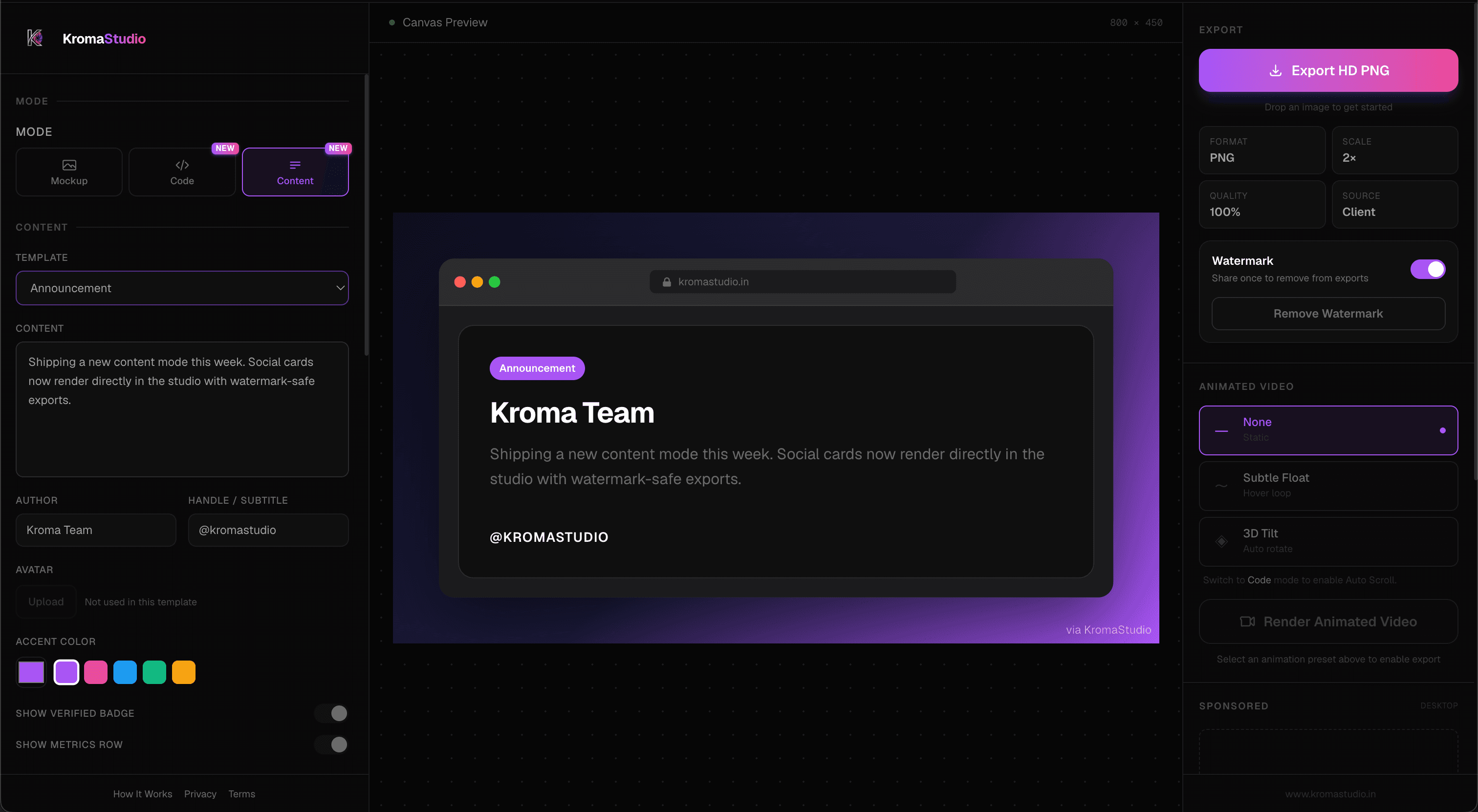
KromaStudio Content mode includes ten templates (Tweet, LinkedIn, Thread, Carousel, Metrics, and more) with editable author fields and accent colors, so social posts can stay on-brand in one editor.
Explore social templates →Animated Exports
Ray.so delivers polished still images — PNG and SVG — which is ideal for docs and static posts. It does not export motion assets.
KromaStudio adds optional .webm loops (Float, 3D Tilt, Auto Scroll) rendered client-side. One snippet can become both a feed PNG and a motion clip for short-form video.
See export steps →Export Workflow
Ray.so is quick for a single code card: paste, theme, download. It also supports URL query parameters for scripted PNG generation from shell scripts or editor extensions.
KromaStudio covers 2× PNG and .webm from the same editor across code, mockups, and social templates — plus a free VS Code extension for paste-free handoff. Pick Ray.so for URL-based automation; pick KromaStudio when you want editor capture and several export types in one place.
Code screenshot generator →Privacy
Ray.so renders code images in the browser using client-side export — snippets are not sent to a server for image generation.
KromaStudio applies the same local-first model across Code, Image, and Content modes, including uploaded screenshots and social templates — no account, no cloud storage step.
Read privacy policy →Features That Make KromaStudio Different
VS Code Extension
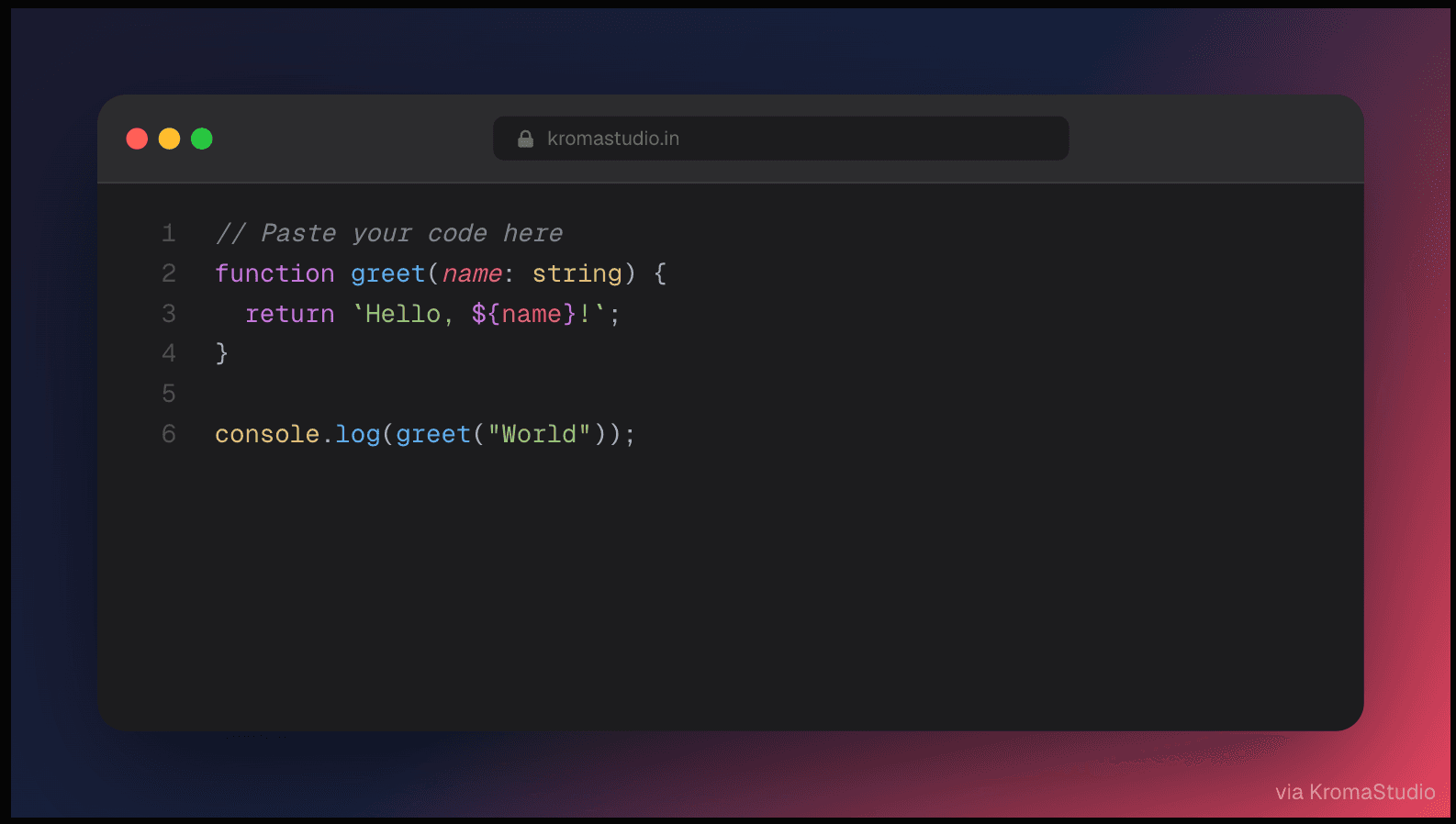
Install KromaStudio from the Visual Studio Marketplace, select code in VS Code or Cursor, and press Cmd+Shift+K (macOS) or Ctrl+Shift+K (Windows/Linux). Your snippet opens in KromaStudio with syntax highlighting and theme already applied — then customize and export.
Install VS Code Extension →Browser Mockup Generator
Drop any screenshot into macOS Dark, macOS Light, Windows, or Minimal browser chrome. Adjust padding, corner radius, shadow depth, and aspect ratio — then export a portfolio-ready PNG. Ideal for product launch posts and README hero images.
Social Content Generator
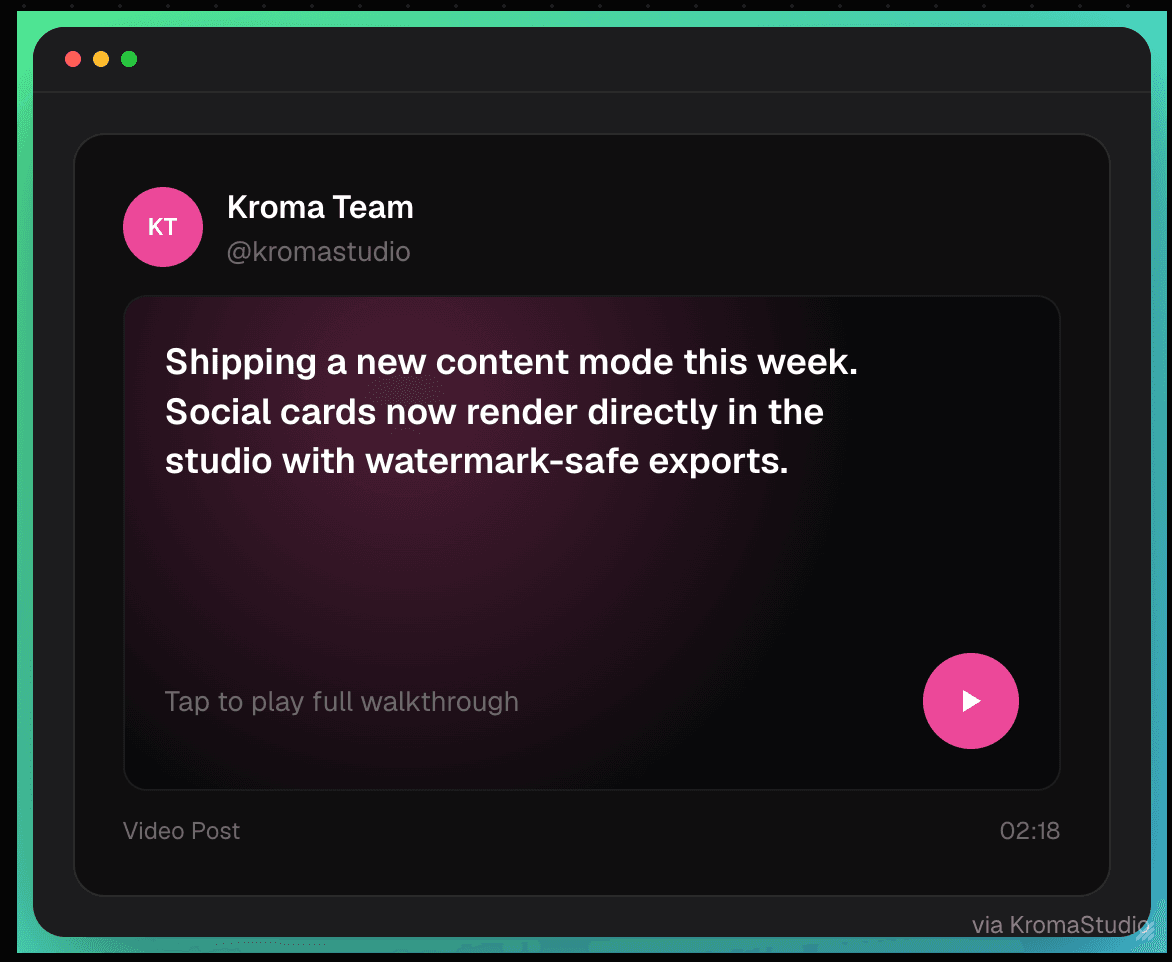
Build tweet cards, LinkedIn posts, thread previews, quote blocks, announcement cards, testimonials, carousels, before-after stories, and metrics snapshots. Customize author name, handle, avatar, and accent color — then export HD PNG or animated .webm.
Animated Code Screenshots
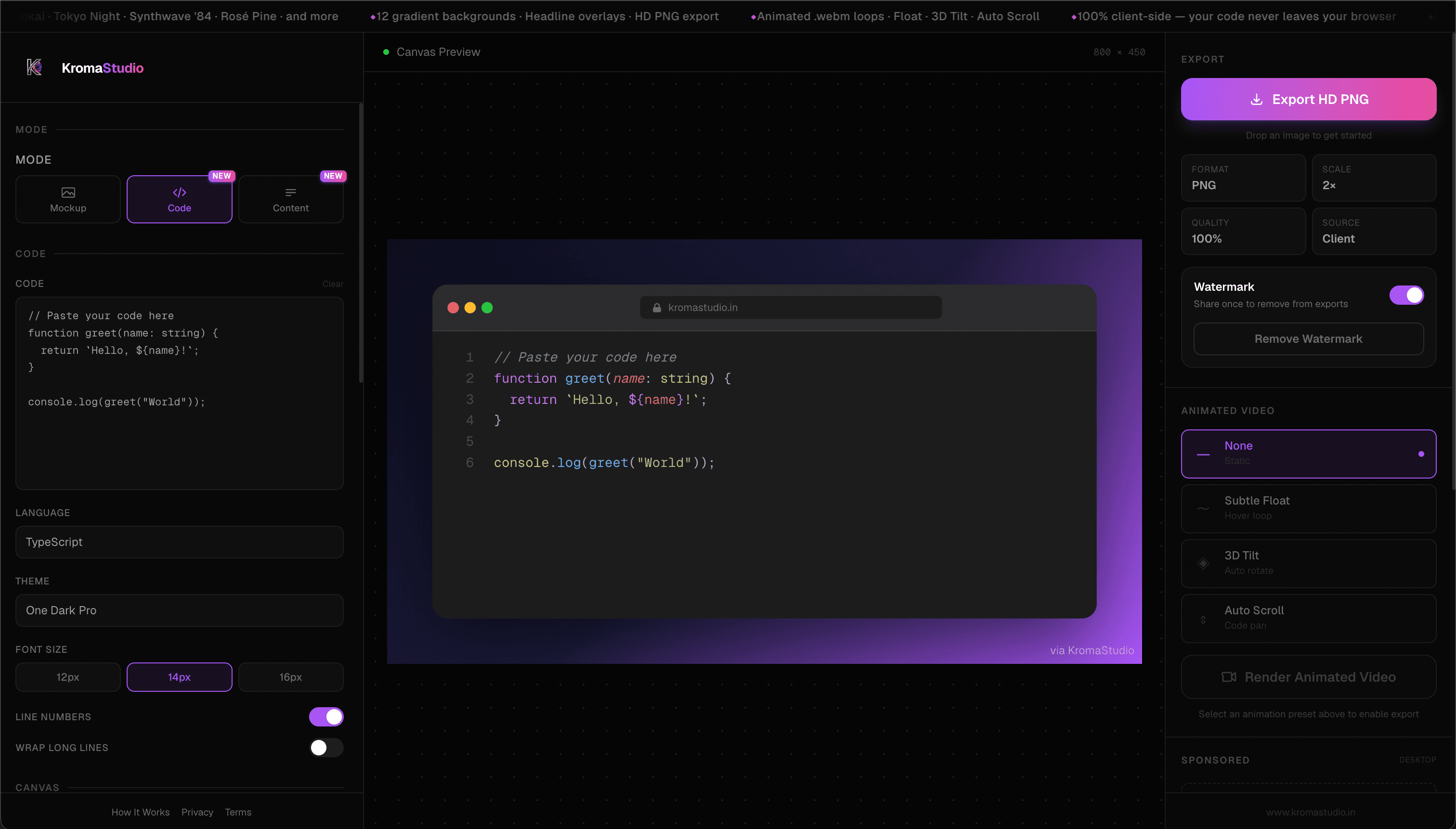
Apply Float, 3D Tilt, or Auto Scroll presets to any code card and render a looping .webm at 2× resolution. Share motion assets on LinkedIn, X, or Reels without After Effects or screen recording.
Theme Customization
Choose from 15 Shiki-powered syntax themes and 12 gradient background presets — or build a custom two-color gradient. Toggle line numbers, adjust font size, and add a headline overlay for social posts.
Code Screenshot Generator →Privacy-First Client-Side Processing
Your code and images are rendered locally in the browser — the same approach Ray.so uses for code export. KromaStudio applies that local-first workflow across code screenshots, uploaded image mockups, and social content templates without requiring an account or cloud storage.
Privacy policy →Fast Export Workflow
Paste a snippet, pick a theme, and download a 2× PNG in seconds. No account, no queue, no cloud storage step. The same canvas exports static images and animated video — one workflow for feeds, docs, and launch threads.
How it works →Other Ray.so Alternatives to Consider
Different tools fit different jobs. These are commonly compared with Ray.so — each excels at something specific. For a detailed Carbon comparison, see our KromaStudio vs Carbon page:
- Carbon — Quick, open-source code cards with wide language support
- Snappify — Animated code presentations, diffs, and VS Code integration (paid tiers for advanced features)
- CodeImage — Deep static customization and self-hosting (open source)
- Chalk.ist — Minimal, open-source code images for blogs and tutorials
- Hackreels — Animated code diff videos in 4K, GIF, or WebM (paid render time)
KromaStudio fits when you want code screenshots plus product browser mockups, social post templates, and client-side .webm animation — free, in one studio, without combining three separate tools.
Who Should Use KromaStudio?
Frontend Developers
Share component refactors, CSS tricks, and UI patterns with syntax-highlighted cards that match your preferred theme — then wrap app screenshots in browser frames for portfolio pieces.
Backend Developers
Post API handlers, database queries, and config snippets with syntax highlighting rendered in your browser. Export clean PNGs for internal docs or public blog posts.
Indie Hackers
Ship launch graphics, metrics cards, and product mockups from one free tool — no separate design subscription required for a polished build-in-public thread.
Startup Founders
Create announcement cards, before-after stories, and browser mockups for Product Hunt, LinkedIn, and investor updates — all from the same studio.
Technical Writers
Produce consistent code callouts for documentation and tutorials. Use the same theme across every article so readers recognize your brand instantly.
Developer Advocates
Turn conference snippets, sample repos, and tutorial code into share-ready visuals — static for blogs, animated for social reach.
Real Use Cases
- Sharing a refactored React hook on LinkedIn with a headline overlay and gradient background Code screenshots for LinkedIn →
- Embedding syntax-highlighted snippets in a technical blog post or Dev.to article Blog-ready code images →
- Wrapping a product screenshot in a macOS browser frame for a launch announcement Launch mockups →
- Creating documentation screenshots with consistent Dracula or Nord theming Theming workflow →
- Building a developer portfolio page with mockup-style project previews Portfolio mockups →
- Publishing animated code loops for X, LinkedIn, or short-form video feeds Animated export guide →
Why Developers Trust KromaStudio
100% Client-Side Processing
Syntax highlighting, mockup rendering, and export run in your browser — not on a remote renderer.
No Account Required
Open the studio, paste or upload, and export. Zero registration friction.
No Server Uploads
Your code and screenshots stay on your device during editing and export.
Fast Local Exports
2× PNG and .webm loops generate from the canvas in seconds — no queue or cloud wait.
Free to Use
Core studio features — code, mockups, content templates, and animation — are free with no paywall.
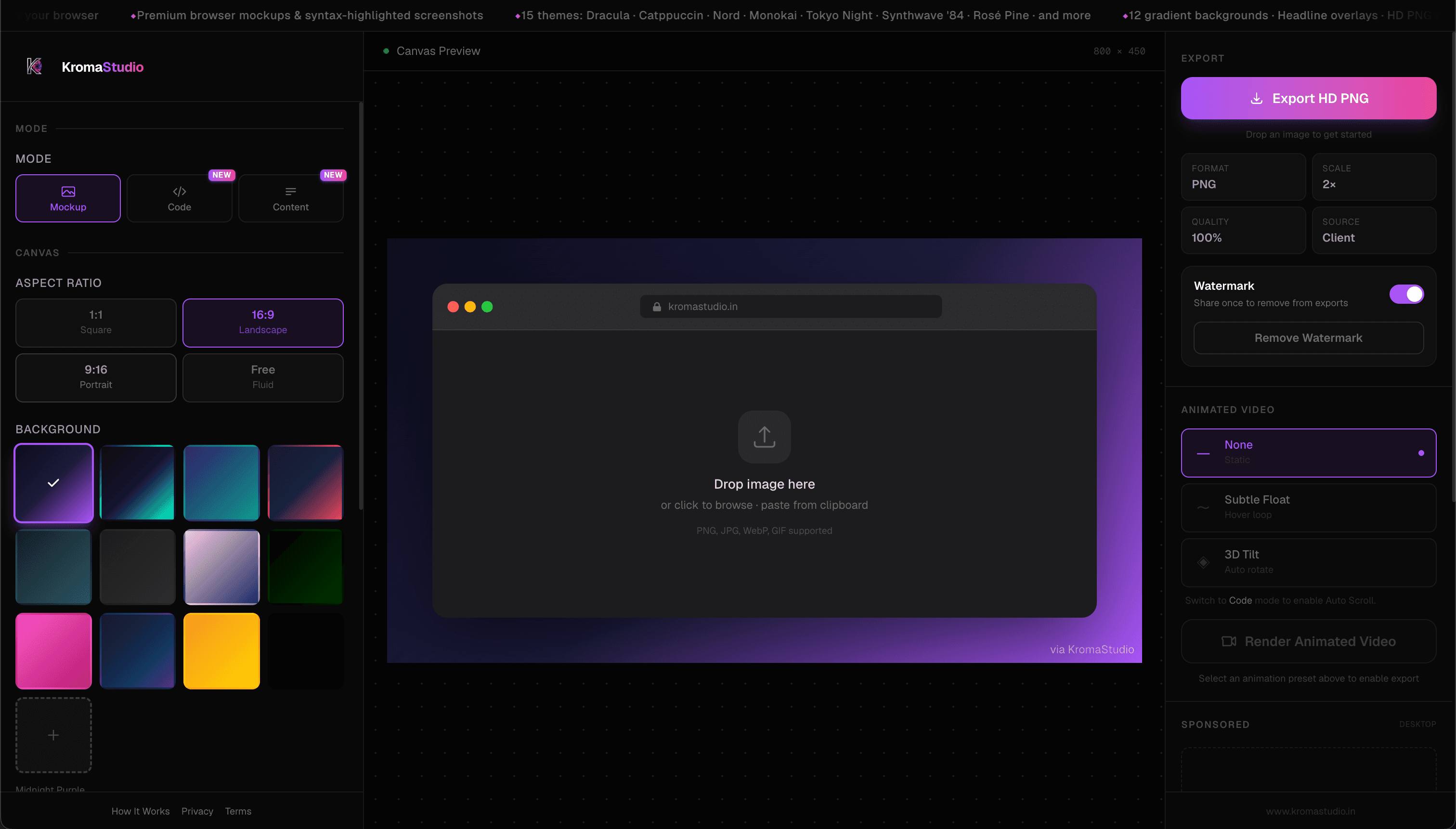
Create More Than Code Screenshots
Turn code, screenshots, and ideas into beautiful visuals from one free tool — mockups, social cards, and motion exports included.
Frequently Asked Questions
- Does KromaStudio have a VS Code extension?
- Yes. Install it from the Visual Studio Marketplace, select code in VS Code or Cursor, and press Cmd+Shift+K or Ctrl+Shift+K to open the snippet in KromaStudio — language, theme, and background are applied automatically. Install from Marketplace →
- What is the best Ray.so alternative to convert code to image?
- It depends on your goal. For quick static code cards, Carbon and Chalk.ist are popular free picks. For animated code videos, Snappify and Hackreels are common recommendations. To create beautiful code snippets, browser mockups, social post templates, and animated .webm exports in one free client-side studio, KromaStudio is a strong fit.
- Is KromaStudio free?
- Yes. KromaStudio is free to use with no sign-up and no paywall on core studio features.
- Can I create browser mockups?
- Yes. Switch to Image mode to wrap any screenshot in macOS, Windows, or Minimal browser frames. Adjust padding, shadows, and aspect ratio, then export HD PNG. Browser mockup generator →
- Can I export animated screenshots?
- Yes. Use the Animate panel to apply Float, 3D Tilt, or Auto Scroll presets and render a looping .webm file — 100% client-side. Export guide →
- Does KromaStudio upload my code?
- No. Syntax highlighting, rendering, and export all happen locally in your browser. Your code and images never leave your device.
- Can I use it without signup?
- Yes. Open KromaStudio, paste your code or drop a screenshot, and export immediately — no account required.
- What export formats are available?
- KromaStudio exports 2× resolution PNG for static images and .webm for animated loops. Both are generated from the same canvas.
- Is KromaStudio suitable for social media content?
- Yes. Content mode includes templates for tweets, LinkedIn posts, threads, carousels, metrics cards, and more. Code mode supports headline overlays and gradient backgrounds for social posts.
- How does KromaStudio compare with Ray.so?
- Ray.so excels at fast, minimal code cards with polished themes and PNG/SVG export. KromaStudio covers code screenshots too and adds browser mockups, social post templates, and animated .webm video — all in one free studio.
- Can teams use KromaStudio?
- Yes. Teams can share exported PNGs and .webm files freely. Because processing is client-side, there is no shared cloud storage or team account required — each developer uses the studio locally.
Final Verdict
Choose Ray.so when you need a minimal, fast code card — paste, pick a theme, export PNG or SVG. Ray.so remains a strong choice for that focused workflow.
Choose KromaStudio when you also need browser mockups, social post templates, or animated .webm code clips — without switching to a separate mockup or design tool.