
Free · No sign-up · 15 themes · Up to 4× export · Animated .webm · 100% client-side
Free Code Screenshot Generator
Turn raw code snippets into scroll-stopping social graphics in seconds. KromaStudio runs entirely in your browser — paste code, pick a theme like Dracula or One Dark Pro, add a gradient background, and export a sharp PNG at 1×, 2×, 3×, or 4× resolution, or render an animated .webm loop. No sign-up, no server upload, no watermark.
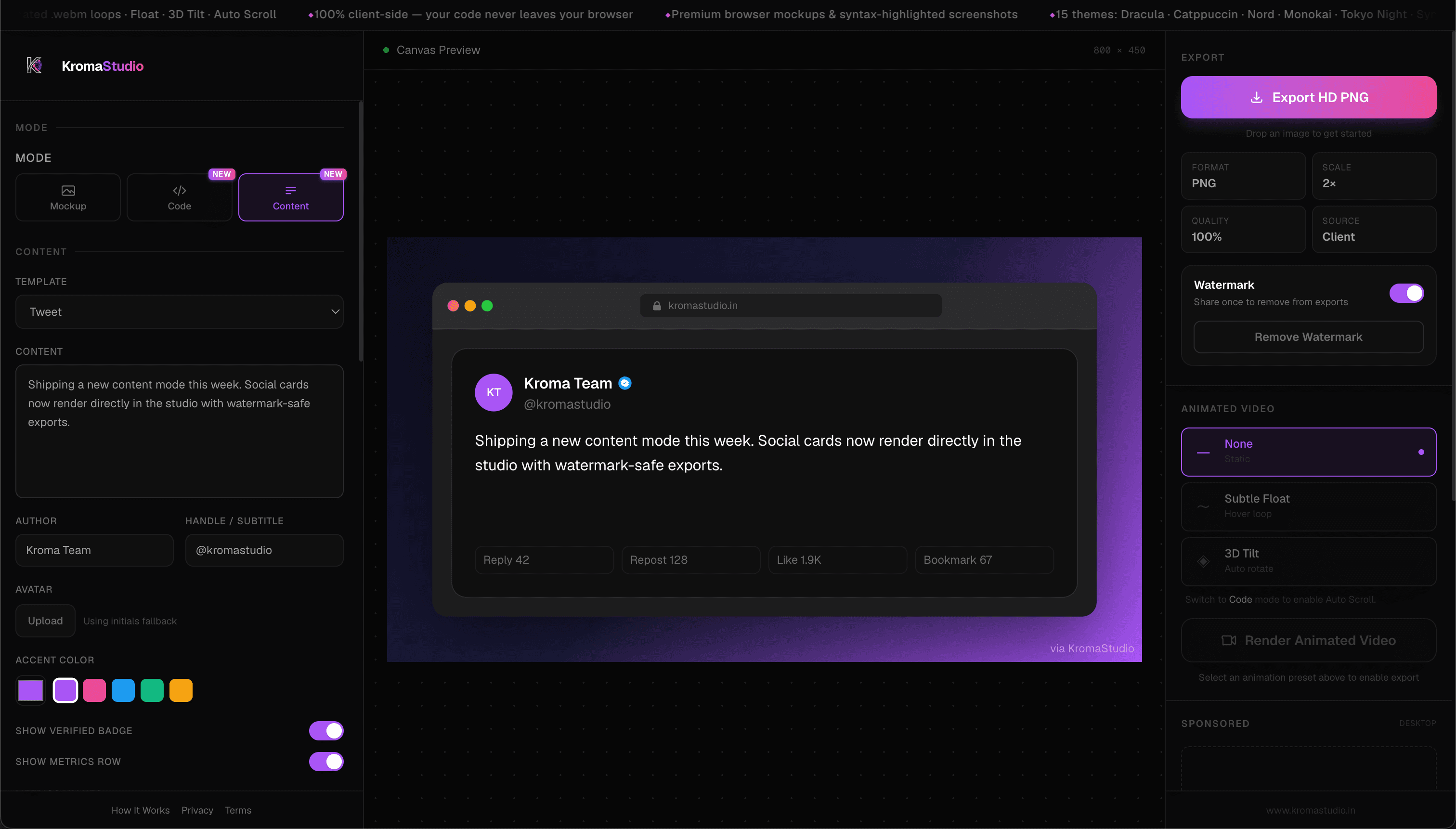
How to create a code screenshot
Step 1: Select in VS Code → open in KromaStudio
Install the KromaStudio VS Code extension, select a snippet in the editor, and run Capture Selection (Cmd+Shift+K on macOS, Ctrl+Shift+K on Windows/Linux). KromaStudio opens in your browser with language, theme, and background already applied. Install VS Code Extension →
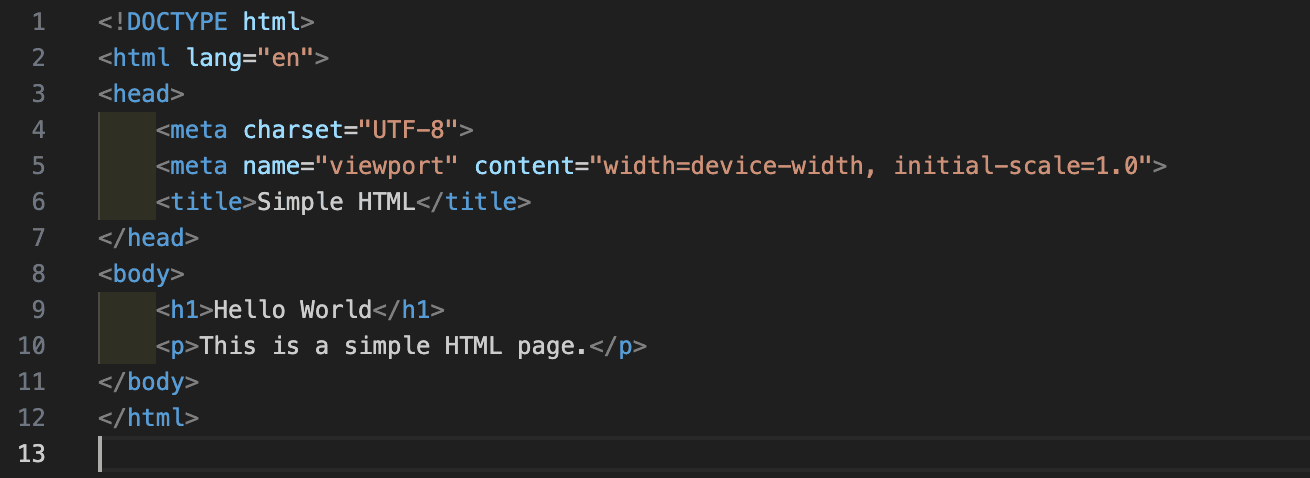
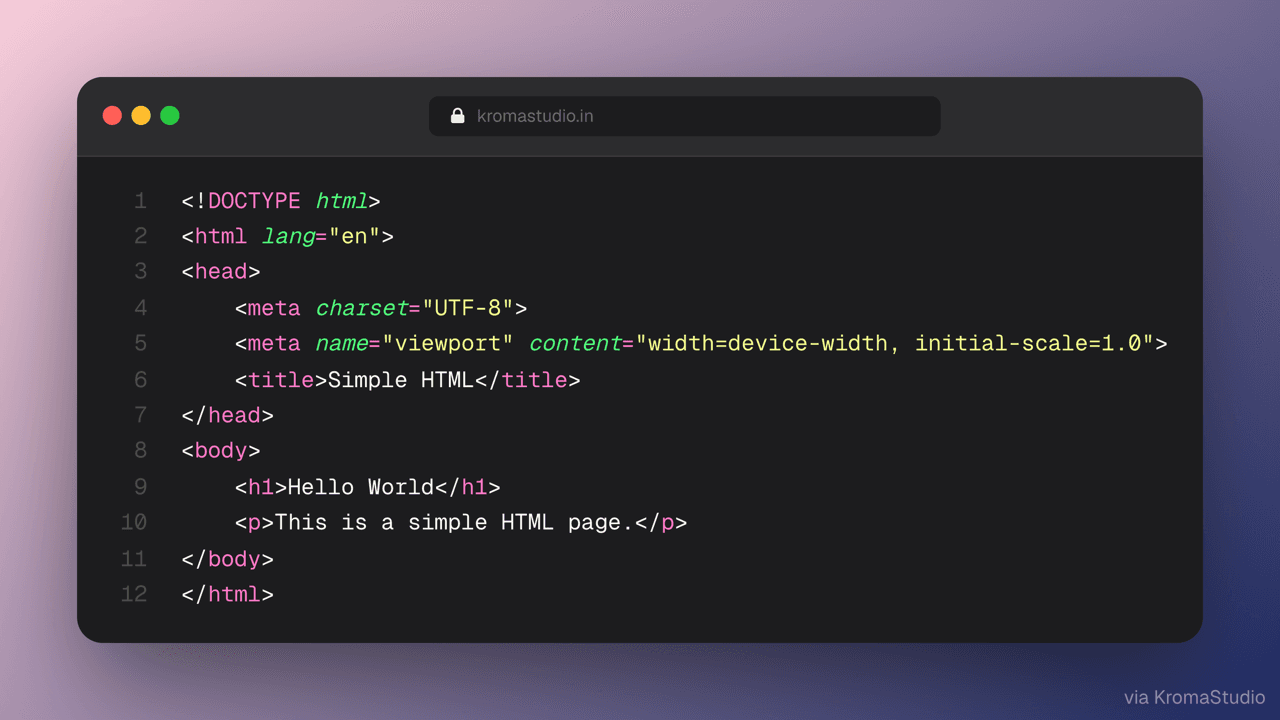
Step 2: Or paste your code in the browser
Open KromaStudio and switch to Code mode. Paste any snippet — the language is detected automatically, or you can select it manually from 25 supported languages.
Step 3: Pick a theme and background
Choose from 15 syntax themes including Dracula, One Dark Pro, and Catppuccin. Then pick one of 12 gradient backgrounds or set a custom two-color gradient. Optionally enable a headline overlay for social posts.
Step 4: Export as PNG or animated .webm
Click Export and choose 1×, 2×, 3×, or 4× resolution — at 4× a 16:9 canvas exports at 3200×1800, sharp at any size. Or open the Animate panel to render a looping Float, 3D Tilt, or Auto Scroll animation as a .webm — all in your browser, no upload required.
15 syntax themes
Every theme is powered by Shiki — the same syntax highlighter used by VS Code and the official TypeScript docs. Colors are accurate to the real editor, not approximations.
- DraculaDark purple palette — the most-used dark theme for code sharing.
- One Dark ProAtom-inspired dark theme with muted, readable contrast.
- GitHub DarkGitHub's official dark mode — familiar to every developer.
- Night OwlOptimised for night-time readability with vivid token colors.
- Tokyo NightDeep blue tones inspired by Tokyo neon lights.
- Catppuccin MochaWarm pastel dark theme from the Catppuccin palette.
- Catppuccin LatteLight mode variant of Catppuccin — clean and soft.
- NordArctic-inspired cool blue palette, minimal and distraction-free.
- MonokaiClassic Sublime Text theme with high-contrast token colors.
- Synthwave '84Neon retro-futuristic palette for eye-catching social posts.
- Solarized DarkPrecision-designed contrast ratios for long reading sessions.
- Rosé PineMuted, nature-inspired dark theme — popular in aesthetic dev circles.
- Material OceanDeep ocean tones from the Material theme family.
- Vitesse DarkMinimal, elegant dark theme by the creator of Slidev.
- GitHub LightGitHub's light mode — great for documentation screenshots.
25 supported programming languages
Web
JavaScript, TypeScript, HTML, CSS, JSX, TSX, Vue, Svelte
Systems & Backend
Go, Rust, Python, Java, C, C++, C#, Bash
Mobile
Kotlin, Swift
Data & Config
SQL, JSON, YAML, Docker, Markdown, PHP, Ruby
What KromaStudio adds beyond Carbon and Ray.so
VS Code extension
Select code in VS Code or Cursor and hand off to KromaStudio in one shortcut — no copy-paste, language detection, or theme setup required.
Animated .webm export
Carbon and Ray.so export static PNGs only. KromaStudio renders Float, 3D Tilt, and Auto Scroll loops as .webm — ready for Twitter/X, LinkedIn, and Product Hunt openers.
Browser mockups in the same tool
Switch to Image mode to wrap a product screenshot in Chrome, Safari, Firefox, or macOS browser frames — no second app needed.
Headline overlay
Add a customizable text headline directly on top of the code card — useful for 'Shipping X today' launch posts without opening a design tool.
100% client-side
Your code never touches a server. Unlike Carbon, which sends snippets to a cloud renderer, KromaStudio processes everything locally using the HTML Canvas API.
When developers use code screenshots
Sharing on Twitter/X and LinkedIn
Export a sharp 16:9 code card with a gradient background and headline. The 2× PNG looks crisp in feed and doesn't compress like a screenshot of your editor.
Documentation and README hero images
Use GitHub Dark or GitHub Light theme to create consistent, on-brand code images that match the GitHub UI. Export at 2× for Retina display sharpness.
Presentations and slide decks
Paste a snippet, pick a clean theme, set a solid or minimal background, and export a PNG that slots into Keynote, PowerPoint, or Google Slides without font issues.
Blog posts and tutorials
A themed code image reads far better than a raw code block screenshot and renders at any size. Dracula and One Dark Pro are the most popular themes for technical blog posts.
Paste code. Export PNG. Post.
Pick a theme, add a gradient, and export at up to 4× — 100% in your browser.
Frequently asked questions
- Is there a VS Code extension?
- Yes. Install KromaStudio from the Visual Studio Marketplace, select code in VS Code or Cursor, and press Cmd+Shift+K (macOS) or Ctrl+Shift+K (Windows/Linux) to open the snippet in KromaStudio with syntax highlighting already applied. Install from Marketplace →
- Is KromaStudio free to use?
- Yes. KromaStudio is completely free — no sign-up, no watermark, no export limits. All features including animated export are free.
- Does my code get uploaded to a server?
- No. KromaStudio runs 100% client-side using the HTML Canvas API. Your code snippets never leave your device and are never stored or logged.
- What syntax themes are available?
- 15 themes: Dracula, One Dark Pro, GitHub Dark, Night Owl, Tokyo Night, Catppuccin Mocha, Catppuccin Latte, Nord, Monokai, Synthwave '84, Solarized Dark, Rosé Pine, Material Ocean, Vitesse Dark, and GitHub Light.
- What programming languages are supported?
- 25 languages: TypeScript, JavaScript, Python, HTML, CSS, Go, Rust, Java, Kotlin, Swift, C, C++, C#, PHP, Ruby, Bash, SQL, JSON, YAML, JSX, TSX, Vue, Svelte, Docker, and Markdown.
- Can I export animated code screenshots?
- Yes. Open the Animate panel and choose Float, 3D Tilt, or Auto Scroll to render a looping .webm animation — great for Twitter/X demos and Product Hunt openers.
- How does KromaStudio compare to Carbon.now.sh?
- Carbon is excellent for quick code cards with 150+ themes. KromaStudio adds animated .webm export, browser mockups, social post templates, and headline overlays — all without a sign-up. Both are MIT open source. See full Carbon comparison →
- How does KromaStudio compare to Ray.so?
- Ray.so is great for fast, minimal code cards. KromaStudio adds animated export, browser frame mockups, social templates, and runs fully client-side without a server upload. See full Ray.so comparison →
- What resolution does the PNG export at?
- Choose from 1×, 2×, 3×, or 4× export scale. At 4× a standard canvas exports at 3200×1800 — Retina-sharp for any display or print use. Most social sharing is best at 2× or 3×.
- Can I add a title or headline to my code screenshot?
- Yes. Toggle the Headline control to add custom text above or below the code block — useful for adding 'Just shipped:' or a function name to your post.
- Is KromaStudio open source?
- Yes. KromaStudio is MIT licensed and the full source is on GitHub — you can inspect the code, self-host, or contribute. View on GitHub →
Explore KromaStudio tools
- Browser Mockup Generator →Wrap screenshots in Chrome, Safari, Firefox, or macOS frames.
- Social Post Generator →Create tweet cards, LinkedIn posts, and metrics snapshots.
- KromaStudio vs Carbon →Side-by-side comparison with Carbon.now.sh.
- KromaStudio vs Ray.so →Side-by-side comparison with Ray.so.
- How It Works →Three-step guide to making scroll-stopping visuals.
- Animated Code Screenshots →Export 60fps looping .webm animations.
- Secure Code Screenshots →100% client-side privacy code rendering.